Jumat, 06 Juni 2008

User Manager dengan HOTSPOT Mikrotik

1. Enable dulu use-radius di hotspot

[heri@mikrotik]>ip hotspot profile

2. [heri@mikrotik] ip hotspot profile>print

3. Akan terlihat profile2 yg telah di buat, kemudian tentukan profile mana yg akan di pake di use-radius

[heri@mikrotik]ip hotspot profile> set 0 use-radius=yes 0 = merupakan nomor profile

4. Sekarang bikin radiusnya [heri@mikrotik]>radius

[heri@mikrotik]radius>add address=127.0.0.1

[heri@mikrotik]radius>print

[heri@mikrotik]radius>set 0 service=hotspot, login secret=12345678 5. Sekarang bikin owner untuk di usermanager

[heri@mikrotik]>/ tool user-manager customer add login=”test” password=”test” permissions=owner

6. Sekarang bikin penghubung/supaya mikrotik ngeroute ke usermanager

[heri@mikrotik]>/ tool user-manager router add subscriber=MikroTik ip-address=127.0.0.1 shared-secret=12345678 7.

Nah setelah ini semua dah di buat, sekarang untuk ngetes apakah usermanager dah konek apa blom

8. Buka web browser ketik ” 127.0.0.1/userman “

9. Akan tampil halaman login userman, masukin dah tuh username=test password=test

Jadi deh…Tinggal dikonfigurasiin aja lewat web nya

sumber --> http://heker86.wordpress.com/2008/05/22/user-manager-dengan-hotspot-mikrotik/

Instalasi Mikrotik

Bagi temen-temen yang pingin belajar mikrotik nih saya buatkan tutorial tentang cara instalasinya mulai dari awal hingga akhir…Sekalian buat dokumentasi saya jika sewaktu2 lupa…hehehe…Ok deh kalau gitu kita mulai aja yah…

1. Intallasi

Booting melalui CD-ROM

Atur di BIOS agar, supaya boot lewat CD-ROM, kemudian tunggu beberapa
saat di monitor akan muncul proses Instalasi.

????????????????????????-

ISOLINUX 2.08 2003-12-12 Copyrigth (C) 1994-2003 H. Peter Anvin
Loading linux??????
Loading initrd.rgz????.
Ready
Uncompressing Linux? Ok, booting the kernel

????????????????????????

Memilih paket software

Setelah proses booting akan muncul menu pilihan software yang
mau di install, pilih sesuai kebutuhan yang akan direncanakan.

Paket yang tersedia di Mikrotik

advanced-tools-2.9.27.npk
arlan-2.9.27.npk
dhcp-2.9.27.npk
gps-2.9.27.npk
hotspot-2.9.27.npk
hotspot-fix-2.9.27.npk
isdn-2.9.27.npk
lcd-2.9.27.npk
ntp-2.9.27.npk
ppp-2.9.27.npk
radiolan-2.9.27.npk
routerboard-2.9.27.npk
routing-2.9.27.npk
routing-test-2.9.27.npk
rstp-bridge-test-2.9.27.npk
security-2.9.27.npk
synchronous-2.9.27.npk
system-2.9.27.npk
telephony-2.9.27.npk
ups-2.9.27.npk
user-manager-2.9.27.npk
web-proxy-2.9.27.npk
webproxy-test-2.9.27.npk
wireless-2.9.27.npk
wireless-legacy-2.9.27.npk

?????????????????????????

Welcome to Mikrotik Router Software Installation

Move around menu using ?p? and ?n? or arrow keys, select with ?spacebar?.
Select all with ?a?, minimum with ?m?. Press ?i? to install locally or ?r? to
install remote router or ?q? to cancel and reboot.

[X] system [ ] lcd [ ] telephony
[ ] ppp [ ] ntp [ ] ups
[ ] dhcp [ ] radiolan [ ] user-manager
[X] andvanced-tools [ ] routerboard [X] web-proxy
[ ] arlan [ ] routing [ ] webproxy-test
[ ] gps [ ] routing-test [ ] wireless
[ ] hotspot [ ] rstp-bridge-test [ ] wireless-legacy
[ ] hotspot [X] security
[ ] isdn [ ] synchronous

?????????????????????????

Umumnya Paket Mikrotik untuk Warnet, Kantor atau SOHO adalah :

a. SYSTEM : Paket ini merupakan paket dasar, berisi Kernel dari
Mikrotik

b. DHCP : Paket yang berisi fasilitas sebagai DHCP Server, DHCP
client, pastikan memilih paket ini jika Anda menginginkan
agar Client diberikan IP address otomatis dari DHCP Server

c. SECURITY : Paket ini berisikan fasilitas yang mengutamakan Keamanan
jaringan, seperti Remote Mesin dengan SSH, Remote via MAC
Address

d. WEB-PROXY : Jika Anda memilih paket ini, maka Mikrotik Box anda telah
dapat menjalan service sebagai Web proxy yang akan menyimpan
cache agar traffik ke Internet dapat di reduksi serta browsing
untuk Web dapat dipercepat.

e. ADVANCED TOOLS : Paket yang berisi Tool didalam melakukan Admnistrasi jaringan,
seperti Bandwidth meter, Scanning, dan lain sebagainya.

Instalasi Paket

ketik ?i? setelah selesai memilih software, lalu akan muncul menu
pilihan seperti ini :

- Do you want to keep old configuration ? [y/n] ketik Y
- continue ? [y/n] ketik Y

Setelah itu proses installasi system dimulai, disini kita tidak
perlu membuat partisi hardsik karena secara otomatis mikrotik akan
membuat partisi sendiri.

?????????????????????????-

wireless-legacy (depens on system):
Provides support for Cisco Aironet cards and for PrismlI and Atheros wireless
station and AP.

Do you want to keep old configuraion? [y/n]:y

Warning: all data on the disk will be erased!

Continue? [y/n]:y

Creating partition???.
Formatting disk?????????????

Installing system-2.9.27 [################## ]

?????????????????????????

Proses installasi

?????????????????????????

Continue? [y/n]:y

Creating partition???????..
Formatting disk?????????.

Installed system-2.9.27
Installed advanced-tools-2.9.27
Installed dhcp-2.9.27
Installed security-2.9.27
installed web-proxy-2.9.27

Software installed.
Press ENTER to reboot

??????????????????????????
Nah, setelah selesai reboot entar muncul menu untuk login..Dan untuk masuk ke sistem mikrotiknya kita tinggal ngetikkin di username=admin dan passwordnya dikosongkan aja…jadi deh, sekarang tinggal dikonfigurasiin aja mikrotiknya sesuai dengan kebutuhan… :-)

sumber ---> http://heker86.wordpress.com/2008/05/22/instalasi-mikrotik-2/

Minggu, 25 Mei 2008

Jadwal EURO 2008 Austria – Switzerland

>> Group A

Terdiri dari Swiss, Cekoslowakia, Portugal dan Turki

7 Juni 2008 - 17.00 GMT Swiss vs Ceko
7 Juni 2008 - 19.45 GMT Portugal vs Turki
11 Juni 2008 - 17.00 GMT Ceko vs Portugal
11 Juni 2008 - 19.45 GMT Swiss vs Turki
15 Juni 2008 - 19.45 GMT Turki vs Ceko
15 Juni 2008 - 19.45 GMT Swiss vs Portugal

>> Group B

Terdiri dari Austria, Kroasia, Jerman dan Polandia

8 Juni 2008 - 17.00 GMT Austria vs Kroasia
8 Juni 2008 - 19.45 GMT Jerman vs Polandia
12 Juni 2008 - 17.00 GMT Kroasia vs Jerman
12 Juni 2008 - 19.45 GMT Austria vs Polandia
16 Juni 2008 - 19.45 GMT Austria vs Jerman
16 Juni 2008 - 19.45 GMT Polandia vs Kroasia

>> Group C

Terdiri dari Belanda, Italia, Rumania dan Perancis

9 Juni 2008 - 17.00 GMT Rumania vs Perancis
9 Juni 2008 - 19.45 GMT Belanda vs Italia
13 Juni 2008 - 17.00 GMT Italia vs Rumania
13 Juni 2008 - 19.45 GMT Belanda vs Perancis
17 Juni 2008 - 19.45 GMT Belanda vs Rumania
17 Juni 2008 - 19.45 GMT Perancis vs Italia

>> Group D

Terdiri dari Yunani, Swedia, Spanyol, dan Rusia

10 Juni 2008 - 17.00 GMT Spanyol vs Rusia
10 Juni 2008 - 19.45 GMT Yunani vs Swedia
14 Juni 2008 - 17.00 GMT Swedia vs Spanyol
14 Juni 2008 - 19.45 GMT Yunani vs Rusia
18 Juni 2008 - 19.45 GMT Yunani vs Spanyol
18 Juni 2008 - 19.45 GMT Rusia vs Swedia

>> Perempat Final

Quarter 1 - 19 Juni 2008 – 19.45 GMT | Juara Group A vs Runner Up Group B
Quarter 2 - 20 Juni 2008 – 19.45 GMT | Juara Group B vs Runner Up Group A
Quarter 3 - 21 Juni 2008 – 19.45 GMT | Juara Group C vs Runner Up Group D
Quarter 4 - 22 Juni 2008 – 19.45 GMT | Juara Group D vs Runner Up Group C


>> Semi Final
Semi Final 1 – 25 Juni 2008 – 19.45 GMT |
Juara Quarter 1 vs Juara Quarter 2
Semi Final 2 – 26 Juni 2008 – 19.45 GMT | Juara Quarter 3 vs Juara Quarter 4

>> Final
29 Juni 2008 – 19.45 GMT antara Juara Semi Final 1 vs Juara Semi Final 2

Catatan : Untuk WIB (Waktu Indonesia Barat) = GMT + 07.00

Bagi yang senang browsing dengan koneksi GPRS via Bluetooth mungkin pernah mengalami hal seperti ini : Error 734: The PPP link protokol was terminated. Untuk mengatasi masalah tersebut inilah langkah-langkahnya. Selamat mencoba !

1. Masuk ke Control Panel
2. Phone n Modem Option
3. Pilih modem yang anda pakai, dalam hal hape anda
4. Properties (modem yang anda pakai)
5. Pilih advanced
6. Di extra Initialitaion Command-> masukkan at+cgdcont=1,"ip","Acces Point Name"


*/ nama akses point seperti :
  • kartu AXIS : AXIS
  • kartu 3 : 3gprs
  • kartu telkomsel : telkomsel
  • kartu xl : www.xlgprs.net
  • kartu mentari : satelindogprs.com
  • kartu IM3 : www.indosat-m3.net

Setting GPRS operator-operator GSM indonesia

1. Kartu Indosat IM3
Berikut data teknis untuk koneksi menggunakan kartu IM3
- Connection name : M3-GPRS
- APN / Access point name : www.indosat-m3.net

*ini digunain pas kita klik koneksi gprs kita di komputer*
- User name : gprs
- Password : im3

- Authentication : Normal
- Homepage : http://wap.indosat-m3.net
- IP address : 010.019.019.019
- Port : 9201 (standard), 8080 (proxy)

2. Mentari/Matrix
Profile Name : satelindo
Homepage URL : http://wap.matrix-centro.com
IP Address : 202.152.162.250:9200
Bearer : GPRS
User Name : indosat (thnx to mas gun)
Password : indosat
APN : satelindogprs.com

3. Kartu (Keluarga) XL
Setting Manual Parameter Untuk Dapat Terhubung Internet GPRS dan MMS ProXL / XL Bebas / Xplor :
- Connection name : XL GPRS
- Data bearer : GPRS
- APN / Access point name : www.xlgprs.net
- User name : xlgprs
- Prompt Password : No
- Password : proxl
- Authentication : Normal
- Homepage : http://wap.lifeinhand.com
- Connection Security : off
- Session mode : permanent
- Phone IP address : Automatic
- Primary name server : 0.0.0.0
- Secondary name server : 0.0.0.0
- WAP Gateway IP Address : 202.152.240.50
- Port : 9201 (standard), 8080 (proxy)

4. Setting GPRS simPATI (Telkomsel)
a. Mendaftar sebagai pelanggan GPRS, yang hanya dapat dilakukan melalui SMS.

Caranya :
- Ketik pesan SMS : GPRS [Nomor Kartu]
- Contoh : GPRS 6210009922069556
- Kirim ke : 6616

Catatan :
- Tarif pesan kirim SMS : Rp. 350 ,- / pesan.
- Nomor kartu merupakan nomor ICCID (Integrated Circuit Card Identification) yang terdiri dari 16 (enam belas) digit nomor dan terdapat di belakang chip kartu simPATI Nusantara Anda.
- Isi pesan tidak tergantung pada huruf besar atau kecil (non case sensitive).
- Dalam pengetikan nomor kartu tidak boleh ada spasi.

b. Sistem akan memberikan pesan notifikasi SMS kepada Anda setelah beberapa waktu untuk memberitahukan bahwa permintaan aktivasi sedang diproses : “Your request for GPRS Setup already received. Please wait for max. 48 hours for succesfull activation notification message.”

c. Pemrosesan aktivasi membutuhkan waktu maksimum 48 jam.

d. Setelah proses aktivasi sukses dilakukan, sistem akan memberitahukan kepada Anda melalui SMS dari 6616 : “Welcome to GPRS Service! Your GPRS service has been activated. Please visit www.telkomsel.com for more information”

e. Melakukan setting pada terminal komunikasi yang digunakan dengan parameter-parameter seperti berikut :

• Connection Name : APN Telkomsel
• Data Bearer : GPRS
• Access Point Name : telkomsel
• Username : wap
• Prompt Password : No
• Password : wap123
• Authentication : Normal
• Homepage : http://wap.telkomsel.com
• WAP Gateway IP Address : 10.1.89.130
• Port : 9201 (standard), 8000 (proxy)

f. Berada di wilayah layanan GPRS.

g. Untuk menggunakan WAP Telkomsel dengan GPRS, pastikan Anda telah terdaftar pada www.telkomsel.com.

h. Untuk menggunakan WAP Telkomsel dengan GPRS, pastikan Anda melakukan setting handset untuk menggunakan Access Point Name (APN) telkomsel.

5. Setting GPRS kartuHALO (Telkomsel)
a. Mendaftar sebagai pelanggan GPRS, pendaftaran dapat dilakukan di GraPARI atau hubungi Caroline di nomor 111, layanan bebas pulsa dari kartuHALO Anda, atau dapat dilakukan melalui SMS :

Caranya :
- Ketik pesan SMS : GPRS
- Contoh : GPRS
- Kirim ke : 6616

Catatan :
- Tarif pesan kirim SMS : Rp. 250 ,- / pesan.

b. Sistem akan memberikan pesan notifikasi SMS kepada Anda setelah beberapa waktu untuk memberitahukan bahwa permintaan aktivasi sedang diproses : “Your request for GPRS Setup already received. Please wait for max. 48 hours for succesfull activation notification message.”

c. Pemrosesan aktivasi membutuhkan waktu maksimum 48 jam.

d. Setelah proses aktivasi sukses dilakukan, sistem akan memberitahukan kepada Anda melalui SMS dari 6616 : “Welcome to GPRS Service! Your GPRS service has been activated. Please visit www.telkomsel.com for more information”

e. Melakukan setting pada terminal komunikasi yang digunakan dengan parameter-parameter seperti berikut :

• Connection Name : APN Telkomsel
• Data Bearer : GPRS
• Access Point Name : telkomsel
• Username : wap
• Prompt Password : No
• Password : wap123
• Authentication : Normal
• Homepage : http://wap.telkomsel.com
• WAP Gateway IP Address : 10.1.89.130
• Port : 9201 (standard), 8000 (proxy)

f. Berada di wilayah layanan GPRS.

g. Untuk menggunakan WAP Telkomsel dengan GPRS, pastikan Anda telah terdaftar pada www.telkomsel.com.

h. Untuk menggunakan WAP Telkomsel dengan GPRS, pastikan Anda melakukan setting handset untuk menggunakan Access Point Name (APN) telkomsel.

6. Kartu 3
a. Untuk setting GPRSnya udah bawaan ketika 3 aktif, selalu udah dikirimin settingnya, tinggal save, langsung pake…(INSTAN!!)..
Hanya saja, yang perlu diperhatikan adalah sisi username dan passwordnya,
username : 3gprs
password : 3gprs
APN : 3gprs

7. Kartu AXIS
APN : AXIS
username : axis
password : 123456
ip : 10.8.3.8
port : 8080 atau 9201

Minggu, 11 Mei 2008

Jadwal Piala Thomas - Uber 2008

Pembagian Grup
Piala Thomas
Grup A: Cina, Kanada, Nigeria
Grup B: Malaysia, Korea, Inggris
Grup C: Denmark, Jepang, Selandia Baru
Grup D: Indonesia, Jerman, Thailand

Piala Uber
Grup W: Cina, Jerman, AS
Grup X: Korea, Hong Kong, Afsel
Grup Y: Malaysia, Denmark, Selandia Baru
Grup Z: Jepang, Indonesia, Belanda

Jadwal Pertandingan
Minggu, 11 Mei
Pukul 08.00 WIB
Piala Uber: Cina vs AS; Malaysia vs Selandia Baru
Piala Thomas: Jerman vs Thailand; Cina vs Nigeria
Pukul 13.00 WIB
Piala Uber: Indonesia vs Jepang; Korea vs Afsel
Piala Thomas: Denmark vs Selandia Baru; Malaysia vs Inggris
Pukul 18.00 WIB
Piala Uber: Denmark vs Selandia Baru; Jerman vs AS
Piala Thomas: Kanada vs Nigeria; Indonesia vs Thailand

Senin, 12 Mei
Pukul 08.00 WIB
Piala Uber: Jepang vs Belanda; Hong Kong vs Afsel
Piala Thomas: Jepang vs Selandia Baru; Korea vs Inggris
Pukul 13.00 WIB
Piala Uber: Cina vs Jerman; Malaysia vs Denmark
Piala Thomas: Cina vs Kanada; Indonesia vs Jerman
Pukul 18.00 WIB
Piala Uber: Korea vs Hong Kong; Indonesia vs Belanda
Piala Thomas: Malaysia vs Korea; Denmark vs Jepang

Selasa, 13 Mei
Pukul 13.00 WIB
Piala Uber: Y3 vs Z2; Y2 vs Z3
Piala Thomas: C3 vs D2; C2 vs D3
Pukul 18.00 WIB
Piala Uber: W2 vs X3; X2vs W3
Piala Thomas: A2 vs B3; A3 vs B2

Rabu, 14 Mei (Perempatfinal)
Pukul 13.00 WIB
Piala Uber: W1 vs (Y3/Z2); X1 vs (Y2/Z3)
Piala Thomas: A1 vs (C3/D2); B1 vs (C2/D3)
Pukul 18.00 WIB
Piala Uber: Y1 vs (W2/X3); Z1 vs (X2/W3)
Piala Thomas: C1 vs (A2/B3); D1 vs (B2/A3)

Kamis, 15 Mei (Semifinal Piala Uber)
Pukul 13.00 WIB: (W1 vs Y3/Z2) vs (X1 vs Y2/Z3)
Pukul 18.00 WIB: (Y1 vs W2/X3) vs (Z1 vs X2/W3)

Jumat, 16 Mei (Semifinal Piala Thomas)
Pukul 13.00 WIB: (A1 vs C3/D2) vs (B1 vs C2/D3)
Pukul 18.00 WIB: (C1 vs A2/B3) vs (D1 vs B2/A3)

Sabtu, 17 Mei
Pukul 18.00 WIB: Final Piala Uber

Minggu, 18 Mei
Pukul 18.00 WIB: Final Piala Thomas

(Sumber: Bolanews.com)

Sabtu, 19 April 2008

Kirim SMS Teror, Penjara 9 Bulan

Wales - Kegunaan layanan pesan singkat (short message service/SMS) memang bermacam-macam. Namun meneror orang lain via SMS tentu tak dapat dibenarkan.Seorang pria asal Wales bahkan sampai ditahan sembilan bulan karena mengirim SMS bernada teror pada mantan pasangannya. Padahal, sang pria sebenarnya sudah dilarang oleh pengadilan untuk mendekati mantannya itu dengan cara apapun.Pria berusia 32 tahun bernama Justin Craig Morgans ini awalnya memang berkencan dengan seorang wanita bernama Vicky Betsia. Namun mereka kemudian berpisah.Entah mengapa, Justin kemudian sering mengirim SMS bernada teror pada mantannya itu usai perpisahan. Icnetwork yang dikutip detikINET, Sabtu (19/4/2008) melansir, Justin pun diperintah oleh pengadilan untuk tidak mengganggu Vicky lagi.Akan tetapi, Justin tetap nekat memanfaatkan SMS untuk meneror Vicky. Akibatnya justru fatal, ia kembali dibekuk aparat dan kali ini dihukum 9 bulan penjara. Apes!

Jumat, 11 April 2008

TOS Google Adsense di update, apa saja yang berubah?


Beberapa hari yang lalu TOS Google Adsense diubah. Beberapa aturan dasar program (Privacy Policy) Google adsense mengalami beberapa perubahan, apa saja yang berubah? berikut ini adalah perubahan-perubahan dasar dalam aturan main program Google Adsense:

  • Kita boleh memasang iklan dan tombol referal di halaman eror (404) dan halaman registrasi (pendaftaran)
  • Adsense for Search boleh dipasang di halaman kosong/ tanpa konten sekalipun
    Dalam satu halaman boleh memasang iklan adsense dari beberapa account adsense berbeda
  • AdSense Referral seperti Firefox, Google Pack, dan lain-lain boleh dipasang dihalaman kosong/tanpa konten sekalipun
  • Jika kamu diikutkan dalam program beta apapun dari google adsense, kita nggak boleh ngomongin masalah itu di blog atau ditempat umum lainnya
  • Dibolehkan untuk memasang program lain yang sejenis dan kontekstual seperti google adsense dalam satu halaman, program sejenis seperti bidvertiser dll sudah boleh dipasang bareng dengan adsense
  • Jika account kena banned, semua akumulasi dana yang tersimpan, akan disumbangakn ke yayasan sosial oleh google adsense
  • Publisher adsense diharapkan untuk mencantumkan/membuat halaman privacy policy yang menyatakan bahwa data pengunjung web/blog disimpan dalam cokie iklan google adsense.

Penting: untuk semua publisher adsense, harus menerima aturan baru ini sebelum tanggal 25 mei 2008, apabila belum menyetujui aturan baru ini, maka account adsense kamu akan di non aktifkan.

Tulisan ini adalah pendapat dan pemahaman pribadi terhadapat aturan baru google adsense di bandingkan dengan aturan/tos sebelumnya. Apabila ada hal-hal yang kurang jelas dan kurang meyakinkan, silahkan hubungi support google adsense sebelum mengambil tindakan selanjutnya.

Diterjemahkan dengan sangat kasar dari labnol.org. Untuk perbandingan antara TOS yang lama dan baru, silahkan liat di file .pdf dari labnol.org
Untuk cara bikin Privacy Policy, bisa liat di blognya Cosa

Astaga, Rekening Bank Curian Dijual Online Rp 90 Ribu


Inggris - Pembobolan rekening bank sering dilakukan penjahat dunia maya untuk meraup keuntungan. Menurut vendor anti virus ternama Symantec, detail rekening bank yang dibobol penjahat cyber bahkan dijual dengan harga sangat murah di internet, hanya 5 Poundsterling saja (sekitar Rp 90 ribu).
Lebih lanjut Symantec memaparkan, perdagangan informasi curian memang kian menggejala di dunia maya dengan detail bank menduduki posisi top. Demikian pula informasi curian mengenai kartu kredit juga diminati kaum kriminal.
Selain itu, aktivitas phishing, yakni usaha mencuri informasi pribadi dengan menyamarkan situs asli juga menjadi masalah serius. Menurut data Symantec, sektor finansial merupakan korban terbanyak dari aksi phishing ini.
Dikutip detikINET dari This is Money, Jumat (11/4/2008), dalam enam bulan terakhir tahun 2007 telah terdapat 87.936 host phishing. Masih menurut Symantec, jumlah ini merupakan peningkatan sebanyak 167 persen dari jumlah enam bulan sebelumnya

Amien Rais: Bedah Server KPU!


Jakarta - Mantan Capres 2004, Amien Rais, menuding ada yang tak beres di sistem komputer KPU. Pendiri PAN itu menuding ada manipulasi penghitungan suara!

"Software komputer di KPU pusat harus dibedah bersama-sama supaya tidak ada manipulasi lagi!" cetus Amien usai membuka Temu Wicara Hukum MK-PAN di Ballroom Hotel the Sultan, Senayan, Jakarta, Jumat (11/4/2008)."Ada manipulasi. Saya yakin!" imbuh Guru Besar Fakultas Ilmu Sosial Ilmu Politik UGM itu.Manipulasi itu disimpulkan Amien dari kejanggalan yang muncul saat suara mulai dihitung dalam Pilpres 2004 lalu. Janggal karena perhitungan komputer KPU selama sebulan sama dengan perhitungan quick count sebuah lembaga.
"Terus terang saya mencurigai bahwa ada ketidakberesan di dalam perangkat lunak komputerisasi penghitungan suara di KPU pusat. Karena kami mencurigai beberapa jam setelah selesai Pemilu, ada quick count. Kemudian seluruh hasil KPU yang ditayangkan running text itu menunjukkan secara konsisten tidak ada perubahan selama sebulan dari quick count," pungkas Amien.

Akhirnya, Google Respons Surat Pemerintah

Jakarta - Google akhirnya merespons surat yang dilayangkan pemerintah Indonesia perihal film Fitna. Lewat sebuah surat, Google membeberkan pandangannya.
"Google sudah merespons surat yang kami kirimkan. Dan Google berinisiatif menawarkan kerja sama dengan pemerintah," ujar Nuh saat jumpa pers di Gedung Depkominfo, Jln. Medan Merdeka Barat , Jumat (11/4/2008).Surat yang ditandatangani Kent Walker, Vice President and General Counsel Google Inc, tersebut diterima Menkominfo Mohammad Nuh pada Rabu malam lalu (9/4/2008).
Lalu apa kata Google? Pemilik situs YouTube tersebut menyatakan tidak akan mencabut Fitna dari situsnya. Google malah menawarkan pemerintah untuk bekerja sama.Ada tiga poin yang Google dalam suratnya. Yang pertama, Google mengatakan akan menghargai hukum yang berlaku di Indonesia.
Poin kedua, Google menghargai kebebasan berekspresi sehingga meskipun Google tidak akan membuang Fitna dari YouTube, Google akan tetap mengupayakan untuk memblokir akses-akses dari pengunjung Indonesia yang mau mengakses konten Fitna.Lalu poin yang ketiga, Google menawarkan kerja sama dengan pemerintah untuk memblokir konten-konten yang dianggap bertentangan dengan hukum, dimana Google kemungkinan tidak akan menerima konten tersebut untuk naik di situsnya.Terkait konten mana saja yang dianggap melanggar hukum, semuanya diserahkan Google pada pemerintah Indonesia.

daftar url yang mesti d blok

www.fitnathemovie.com
http://www.youtube.com/watch?v=_LyeviTOh2w
http://video.google.com/videoplay?docid=-2949546475561399959
http://wikileaks.org/wiki/Fitna_anti-islam_movie_by_Geert_Wilders
http://video.aol.com/video-detail/fitna-the-movie/1696616402
http://blogfilmfitna.blogspot.com
http://file.sunshinepress.org:54445/fitna-flash-video.zip
http://wikileaks.org/leak/fitna-flash-video.zip
http://thepiratebay.org/tor/4102738/Fitna_the_movie_--English_-_AVI_and_FLV_format

Kamis, 10 April 2008

Basis Data

definiai
Basis dapat diartikan sebgai gudang atau tempat berkumpul sedangkan data merupakan fakta nyata yang mewakili suatu objek seperti barang, pembeli, peristiwa dan sebagainya yang direkam dalam bentuk angka, huruf simbol, teks, gambar, bunyi atau kombinasinya. Basis data merupakan kumpula data, file, tabel, arsip yang saling berhubungan dan disimpan dalam media penyimpaan elektronik yang terorganisir dan dapat dimamfaatkan dengan cepat dan mudah,[1]
Prinsip utama basis data adalah pengaturan data atarsip dan tujuan utamanya adalah kemudahan dan kecepatan dan kecepatan dalam pengambilan kembali data atau arsip.

Model basis data relasional

Model basis data adalah suatu cara/mekanisme yang digunakan untuk mengelola data secara fisik dalam memori sekunder yang akan berdampak pada bagaimana mengelompokkan dan membentuk keseluruhan data yang terkait dalam sistem yang sedang diamti. Sistem adalah sebuah tatanan (keterpaduan) yang terdiri atas sejumlah komponen fungsional (dengan satuan fungsi atau tugas khusus) yang saling berhubungan dan secara bersama-sama bertujuan untuk memenui suatu proses atau pekerjaan.[2]
Basis data relasional adalah data yang akan dipilah-pilah kedalam tabel. Setiap tabel selalu terdiri atas lajur mendatar yang disebut baris data(row/record) dan lajur vertikal yang disebut kolom (colun/field). Item-item data atau satuan data terkecil merupakan pertemuan antara baris dan kolom.

Model entitas relasional
Entitas(entity) individu yang mewakili suatu yang nyata dan dapat dibedakan dari sesuatu yang lain. Setiap entitas pasti memiliki atribut yang mendeskripsikan karakteristik dari entitas tersebut.
Himpunan entitas adalah sekelompok entitas yang sejenis dan berada dalam lingkup yang sama membentuk sebuah himpunan.

Relasi antar tabel
Relasi adalah hubungan antar entitas dari himpunan entitas dari himpunan entitas yang berbeda. Himpunan relasi adalah kumpulan semua reaasi diantara entitas-entitas. Untuk merelasikan tabel diperlukan primary key sebagai tanda untuk mengidentifikasi suatu record dalam tabel dan foreign key sebagai kode tamu, artinya jika sebuah record dalam satu tabel menjadi primary key maka record tersebut akan menjadi foreign key pada tabel lainnya.
Jenis-jenis relasi antar tabel:
1. Satu ke satu(one to one)
Berarti setiap entitas pada himpunan entitas A berhubungan dengan paling banyak dengan satu himpunan entitas B, begitu juga sebaliknya
2. Satu ke banyak (one to many)
Setiap entitas pada himpunan entitas A dapat berhubungan dengan banyak entitas pada himpunan entitas B. tetapi tidak sebaliknya.
Misalnya : setiap dosen dapat mengajar beberapa mata kuliah atau lebih dari satu mata kuliah.
3. Banyak ke banyak ( Many to many)
Setiap entitas himpunan A dapat berhubungan dengan banyak entitas pada himpunan entitas B, begitu juga sebaliknya.
Misalnya : setiap mahasiswa dapat mengambil lebih dari satu mata kuliah begitu juga sebaliknya.
Bahasa basis data dapat dibagi menjadi dua bentk:
1. Data Definition Language (DDL)
Yaitu bahasa yang mempunyai kemampuan untuk mendefinisikan data/objek yang berhubungan dengan pembuatan dan penghapusan objek seperti tabel, indeks, database, view ataupun yang lainnya.
Misalnya: create, alter dan drop.
2. Data manipulation Language (DML)
Yaitu bahasa yang berguna untuk melakukan manipulasi dan pengambilan data pada suatu basis data.
Manipulasi data dapat berupa:
a. Penyisipan atau penambahan data baru pada suatu basis data.
b. Penghapusan data dari suatu basis data.
c. Pengubahan dat pada suatu basis data.
Misal: select, insert, delete dan update.

ERD (Enterty Relationshp Diagram)
ERD adalah model konseptual yang mendeskripsikan hubungan antara penyimpanan (dalam DFD). ERD digunakan untuk memodelkan struktur data dan hubungan antar. Dengan ERD, model dapat diuji dengan mengabaikan proses yang dilakukan.
Sesuai dengan namanya ada dua komponen utama pembentuk model entity relationship, yaitu Entitas(entity) dan relasi(relation). Kedua kkomponen ini dideskripsikan lebih lanjut melalui sejumlah atribut/properti.
ERD pertama kali dideskripsikan oleh Peter Chen yang dibuat sebagai bagian perangkat lunak Case. Notasi yang digunakan dalam ERD dapat dilihat pada tabel dibawah ini:
a. Kardinalitas Relasi
Dalam ERD hubungan (relasi) dapat berdiri dari sejumlah entitas yang disebut dengan derajat relasi. Derajat relasi maksimum disebut dengan kardinalitas sedangkan derajat minimum disebut dengan modalitas. Jadi kardinalitas relasi menunjukkan jumlah maksimum entitas yang dapat berelasi dengan entitas pada himpunan entitas lain.
b. Tahapan Pembuatan ERD
Diagram ER dibuat secara bertahap, ada dua kelompok tahapan yang biasa ditempuh didalam pembuatan diagram ER, yaitu:
1. Tahap pembuatan diagram ER awal (preliminary design)
2. Tahap optimasi diagram ER (final design)
Tujuan dari tahap pertama adalah untuk mendapatkan sebuah rancangan basis data minimal yang dapat mengakomodasi kebutuhan penyimpanan data terhadap sistem yang sedang ditinjau. Tahap awal ini umumnya mengabaikan anomali-anomali (proses pada basis data yang memberikan efek samping yang tidak diharapkan) yang memang ada sebagai suatu fakta. Anomali-anomali tersebut biasanya baru dipertimbangkan pada tahap kedua.
Tahap kedua mempertimbangkan anomali-anomali dan juga memperhatikan aspek-aspek efisiensi, performasi dan fleksibilitas. Tiga hal tersebut seringkali dapat saling bertolak belakang, karena itu, tahap kedua ini ditempuh dengan melakukan koreksi terhadap tahap pertama. Nbentuk koreksi yang terjadi berupa pendekomposisian himpunan entitas, penggabungan himpunan entitas, pengubahan derajat relasi, penambahan relasi, penambahan relasi baru atau perubahan (penambahan dan pengurangan) atribut-atribut untuk masing-masing entitas dan relasi.
Langkah-langkah teknis yang dapat dilakukan untuk mendapatkan ERD awal adalah:
1. Mengidentifikasi dan menetapkan seluruh himpunan entitas yang akan terlibat.
2. Menentukan atribut-atribut key dari masing-masing himpunan entitas.
3. Mengidentifikasi dan ;menetapkan seluruh himpunan relasi diantra himpunan entitas yang ada beserta foreign keynya
4. Menentukan derajat/kardinalitas relasi untuk setiap himpunan relasi.
5. Melengkapi himpunan entitas dan himpunan relasi dena atribut deskriptif ( atribut yang bukan kunci).

2.5.6 Data Flow Diagram
Data flow digaram sering digunakan untuk menggambarkan suatu sistem yang telah ada atau sistem baru yang akan dikembangkan secara logika tanpa mempertimbangkan lingkungan fisik dimana data tersebut mengalir (misalnya lewat telepon,surat, dan sebagainya) atau lingkungan fisik dimana data tersebut akan disimpan (misalnya file kartu,microfiche, hard disk, tape, diskette dan lain sebagainya. DFD merupakan alat yang cukup populer sekarang ini, karena dapat menggambarkan arus data didalam sistem denga terstruktur dan jelas. DFD juga merupakan dokumentasi dari sistem yang baik.
Suatu sitem pasti memilki batas sitem (boundary) yang memisahkan suatu sistem dengan lingkungan luarnya, sytem akan menerima input dan menghasilkan output kepada lingkungan luarnya. Kesatuan luar (external entity) merupakan kesatuan (entity) di lingkungan luar sistem yang dapat berupa orang. Organisasi atau sistem lainnya akan memberikan input atau menerima output dari sistem.
Arus data (Data Flow) di dalam DFD diberi simbol suatu panah. Arus data ini mengalir diantara proses, simpanan data dan kesatuan luar. Arus data ini menunjukkan arus dari data yang dapat berupa masukan untuk sistem atau hasil proses sistem.
Suatu proses adalah kegiatan atau kerja yang dilakukan oleh orang, mesin atau komputer dari hasil suatu arus data yang masuk ke dalam proses untuk dihasilkan arus data yang akan keluar dari proses.

Rabu, 02 April 2008

10 Things We Hate About Apple

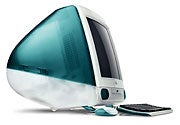
It's high time we unloaded on the high-and-mighty Mac maker.Narasu Rebbapragada and Alan Stafford, PC WorldThe company formerly known as Apple Computer and now called simply Apple, Inc. is unique in many ways--including in its ability to drive even folks who admire it positively batty. It makes great products (usually), yet its secretiveness about them borders on paranoia, and its adoring fans can be incredibly irritating. Of course, its fans have to put up with some irritations, too: Simply being a member of the club still means you must endure unending jabs from the other side of the socio-political-techno aisle. But do they have to wear their suffering as a badge of honor?Today, we--that's us, Narasu and Alan, veteran Mac users both--are going to get some stuff off our chests. We've enumerated ten things we hate about Apple (or its followers, or simply about the experience of using its products). But in the interest of fair play (not to be confused with FairPlay, Apple's DRM technology) we're also publishing another list--Ten Things We Love About Apple.Use the Comment link at the end of this article to add your own gripes about Apple--or to defend it.And so, with protective helmets in place, off we go:1: Free Speech, Anyone?Even if you're no Apple fan, this particular issue might not rise to the top of your own personal gripe list--but hey, we're journalists. So sue us.Er, that's probably not the right turn of phrase to use, considering that in December 2004, Apple filed a lawsuit against the AppleInsider, O'Grady's PowerPage, and Think Secret Web sites for posting information about upcoming technologies that Apple had shared with outsiders under nondisclosure agreements. In the case of O'Grady, the news was of a FireWire interface for GarageBand. In the words of O'Grady himself: "yawn."Apple pressured the sites to reveal their sources, and even worse, pressured the sites' ISPs. In May 2006, a California court said no way, ruling that online journalists enjoy the same First Amendment rights as "legitimate" offline journalists. Seems silly in today's world, doesn't it? Recently, the court ordered Apple to pay the sites' legal fees--about $700,000.2. More Secretive Than Homeland SecurityThose feds are secretive, but they're no match for Apple reps' infuriating stock answer: "We don't comment on future product plans." Being an Apple adherent means never knowing for sure if the shiny new MacBook or iPod you just bought is about to be rendered obsolete by a Steve Jobs keynote.Of course, Apple is merely the most famous secretive Silicon Valley company, not the only hush-mouthed one. And tight lips make for explosive buzz when the company does decide to drop a bombshell. But contrast Apple's secrecy with Microsoft's lack thereof--Bill Gates, Steve Ballmer, and company love to talk about their company's upcoming products, and they still get their fair share of buzz. Even though many of those plans have a tendency to not actually come true.3. Ain't Too Proud to BlameWhen Apple shipped iPods containing a worm last year, instead of issuing a humble mea culpa, Apple took a swipe at Microsoft, saying, "As you might imagine, we are upset at Windows for not being more hardy against such viruses, and even more upset with ourselves for not catching it." As you can imagine, that didn't fly with security experts. How about an apology to the folks who were unlucky enough to buy the infected iPods, period?4. iHate iAnythingApple first floated the idea of product names with a leading lowercase letter in 1994 with eWorld, an ill-conceived online service that went belly-up after a year and a half. But when it introduced the original iMac in 1998, it hit on a phenomenal success--and prompted hundreds of third-party manufacturers to follow with sickeningly cute Bondi Blue products with names that also began with a lowercase "i." Now dozens of Apple and third-party product names begins with "i." Their manufacturers are all jumping on the bandwagon, hoping that a single letter will sway us to buy their stuff. Meanwhile, you can't even start sentences with the products' names.Is it any wonder that we're inclined to like Apple TV in part because it turned out not to be iTV? Or that we're kind of sorry that Apple was able to strike a deal with Cisco to share the name iPhone?

Reclaim Your PC From The Internet Spies

Most Internet users recognize the need of protecting their computers against viruses, as the vast majority of us sooner or later become painfully aware of these nasty little programs when they shut down our PC, spam our mailbox or delete our files.
Most Internet users recognize the need of protecting their computers against viruses, as the vast majority of us sooner or later become painfully aware of these nasty little programs when they shut down our PC, spam our mailbox or delete our files. Viruses are, however, not the only malicious software programs out there. The newest addition to the evil software family is the so called Spywares and a good anti-virus program or firewall is not enough to safeguard against these clever programs. Spywares are known by many names such as adware, trojans, malware, browser hijackers etc. The thing they all have in common is that they will transmit your personal information to companies and individuals who have an interest in knowing about your surfing habits, online purchases, credit worthiness, interests, web searches, chats, birth date and even your credit card number. The list goes on and on, since Spywares are constructed by promotional companies who need to know as much as possible about the online consumers to target them effectively. By ewes dropping on you online, these companies hope to be more successful when sending out promotional materials. Spyware usually enter your PC by piggybacking on other software downloads. Every time you use downloaded or otherwise shared files, including Freeware, Shareware or p2p sharing programs, you stand the risk of unknowingly infecting your computer with Spyware. Even confirmed virus free music files, films and computer programs can have Spyware stowaways. Once inside your computer, they will hide, monitor all your actions and promptly start telling your secrets to anyone willing to listen. Contrary to most viruses the Spywares actually make an effort not to be observed. Since they won’t cause obvious harm such as deleting important files or shutting down your computer, they can thrive in your PC for years without you noticing, sending out massive amounts of information about all your online habits. At a first glance, you might find this annoying but essentially harmless. Why not let the companies send me promotional material about things I am actually interested in? Spyware is however far from harmless, since the infiltration by Spyware not only let the companies know about your latest online search, but also much more private matters such as credit card details, online purchases of medicine and your private e-mail correspondence with family, friends and business partners. There are even examples of how this massive gathering of personal information has led to an overall loss of privacy and stolen identities. In the computerized world of today it is not hard to imagine the amount of damage and personal suffering the fraudulent use of a persons’ identity can cause. It is obvious to anyone that we must start combating the Spyware programs, but the best way of doing this is not to panic and pull the plug on your PC, never go online again and keep five feet away from all Freeware. There is a much better solution: Support Cave
About Author

Microsoft Delivers Hotmail Upgrade

Microsoft Corp. has closed the public testing period for Windows Live Hotmail and has begun a months-long process of migrating users to this major upgrade of its Hotmail Web mail service, the company will announce Monday. (To read a hands-on review of the new Microsoft Hotmail, check out our Today@PCWorld Blog: Microsoft Launches New Hotmail.)Windows Live Hotmail, dubbed as the biggest Hotmail upgrade since the Web mail service's debut in 1996, has been tested by about 20 million users since Microsoft first allowed people outside the company to try it out in mid-2005, said Brooke Richardson, Microsoft group product manager for the popular e-mail site."It is safer, faster and has more features than Hotmail. It's definitely an advance for our current customers," she said. Windows Live Hotmail has a brand new code foundation which will let Microsoft add improvements quickly, something that had become a challenge with Hotmail's decade-old code base, she said. "It's a much more stable foundation for us to innovate," she said.A major challenge for Microsoft will be to convince long-time Hotmail users that the upgraded version is worth switching to, said Van Baker, a Gartner Inc. analyst. "Consumers get accustomed to things they use on a daily basis, like their e-mail service," he said. "When you make changes, sometimes it's a challenging transition for consumers."Microsoft will not autocratically move users to the new version. For now, Microsoft will give Hotmail users the option to continue using the old version if they don't want to switch to the upgraded version. However, at some point, everyone will be unilaterally migrated over to Windows Live Hotmail, she said.New users will be automatically signed up for Windows Live Hotmail but, like any user of the new service, they will get to choose from two user interfaces: a "classic" layout that closely resembles the old Hotmail; or the new interface, which was designed to look like Microsoft's Outlook e-mail and calendaring desktop application, she said.Later this month, Microsoft will release a free software for linking Windows Live Hotmail with Outlook, a capability the company previously charged for. With Microsoft Office Outlook Connector for MSN, users of the Web mail service will be able to access their account from Outlook, along with e-mail, contacts and folder synchronization for free. In the future, Microsoft will release a desktop client for Windows Live Hotmail called Windows Live Mail. Windows Live Mail will be the successor to Outlook Express and Windows Mail on Windows Vista.But all these different names, brands and components leave Microsoft with a fragmented story in the Web mail market that could lead to consumer confusion, Gartner's Baker said. "Another big challenge is to manage this message," he said.In terms of security improvements, each e-mail message carries a "safety bar" which indicates whether the message came from a known, unknown or potentially fraudulent sender. Spam protection has also been enhanced. Windows Live Hotmail also has a mobile version so that its estimated 280 million users can access the service from cell phones and handheld devices with a Web browser.

How Do I Know If My PC Is Infected With Spyware or Adware

Many people that are new to the Internet world are nervous about the potential of viruses, Spyware or Adware that can harm their computer, affect performance or make their very private information public to others.Spyware programs can do a number of damaging things to your personal computer. Spyware infects your pc and hides in the background and can do many nasty things to the performance of your system. It can also do harmful things to you such as send out your personal information, your every keystroke and photo that resides on your hard drive, watch your surfing habits and shopping habits and annoy you with annoying pop-ups filled with advertisements and even pornography.If you are experiencing any unusual changes in your computer's performance or have any unusual new pop-ups, changes to your toolbars or new icons on your desktop, you should run a system scan to find out if you have Spyware. Products exist on the market to help you combat this problem. Be sure to install software that you know is credible. Downloading freeware can often result in further Spyware existing on your computer. Spyware, Adware and Malware companies frequently fool users into sending pop-ups telling them that there's a problem with their computer and this in fact is further spyware. These errors can open your system up to future further problems by fooling people into thinking they're downloading fixes when really further spyware is being downloaded.Watch your system's performance and at the sign of any unusual activity, realize that you are probably infected. Do something as soon as possible to protect your privacy. These programs don't discriminate and can launch themselves when you or your family members sit in front of the computer. Pornographic pop-ups can turn up whether it's an adult or a child using the computer. Protect your pc.Antivirus alone isn't enough to combat this problem. Spyware sneaks into your system via executable files that you don't need to do anything to launch. They can sneak in as attachments that you download or by many other means. They're harmful and annoying but you can protect your computer and your privacy with the right software. This software needs to have an auto update for spyware definitions as new spyware definitions are being added daily. So a spyware removal program is a great compliment to your existing anti-virus software.Total Innovations, Inc. specializes in developing award winning software programs designed to solve computer users needs. The spyware removal software, http://www.emailspy.com & http://www.folderhider.com are a few of the most recent. See full details at: http://www.spyblaster.comArticle Source: http://EzineArticles.com/?expert=Buzz_Scott

XML - FEED - KNOWLEDGE

...no substantial modification was done by requoting this article ]15 Ways ToRead An RSS FeedBy Steve Shaw (c) 2004 No doubt you have seen those small orange 'XML' or 'RSS' buttons beginning to spread across some of your favourite web sites.Perhaps you have clicked on one out of curiosity, only to be faced with a barrage of angle brackets and undecipherable code, seemingly designed to scare the heck out of anyone less than familiar with the intricacies of this new fangled technology creeping across the web.But once you clïck on that button - what do you do then?This article will show you exactly what to do. RSS?It's actually Really Simple, Stupid.The first thing to do of course is clïck that button. It may be an orange button with 'XML' or 'RSS' written across it; or you could see the word 'Atom'; or, less commonly, it could be blue with maybe the initials 'RDF'; or it could be a simple link with something like 'Grab My Feed'. Gets confusing, doesn't it? But what the acronyms like XML and RSS actually stand for is less than important - what to do after clicking the button is the important bit.After clicking the button, you will see all that code - if you have ever viewed the source code to a web page, it looks a little similar.RSS is just another language of the web, but you can actually completely ignore the code itself, just like you can ignore the source code behind web pages that you visit - you are only interested in the end product that the code is designed to produce for you, the end user.In the case of RSS, that end product is up-to-date news on the topics you are interested in.For example, if you want to keep up to date with the latest information on financial markets, or growing marigolds, or your Aunt Mildred's blog as she travels across the Antarctic, and you see a feed on that particular topic, you can 'subscribe' to it and receive messages via the feed, each time the publisher of the feed updates it.So how do you 'subscribe' to an RSS feed?The important bit is what is in the browser address (or location) bar after clicking the feed button, i.e. the bit at the top of your browser window that usually starts with 'http://...' and tells you the web address of the page you are visiting.After clicking the RSS (or XML, etc.) button, you need to copy that address - it's that address that you need to 'plug' into what is generally known as a 'news reader'.News readers allow you to keep updated with the feeds that you are subscribed to. There are several to choose from - some involve downloading some software, some involve visiting a web site, some are frëe, and some require a small investment.Once you have chosen a particular news reader, you simply take that address that you have copied, and, following the instructions provided with the news reader to subscribe to, or add a new feed, simply paste it in - the reader will take care of the rest, and keep you updated with your new feed. Once you have done it once, you will see just how simple it really is.

Cookie-Royalties [ referrer ]

You made a sale through a promoting website and now you want to pay the commissions to your Promoter.How to do this ?http://www.m-php.com/sc-m/some_page.html  [ Vendor's website ]Moreover you can retrieve the website that referred to you although you have no convention with it.By clicking the link above for example you set a cookie that will stay for 1 year on your machine and will answer to the Vendor's most important question when you place eventually an order :
How you got in touch with us ?... the vendor will know which page or search engine has given results useful for him.

How Frontgate MX Works

A Standard Email System The last port-of-call for any email bound for your computer is your email server. This is a computer that stores your email as it arrives from the Internet, and waits for you to retrieve it. If you are a home user, the email server is probably maintained by your Internet Service Provider (ISP). Typically you use an email "client" program to send, retrieve, manage and create your email. This email client normally communicates directly with your email server. Where Frontgate MX Fits In When Frontgate MX is configured and running on your computer, it sits silently between your email client and server and acts as a "go-between", relaying communication between the two. When you check your email, Frontgate MX scans ahead and passes any waiting email through its filter. The filter will mark any incoming email as OK, suspicious or BAD. Depending on the filter result, the email is then either discarded or downloaded to your email client as per usual. Frontgate MX can also present the filter results to you for confirmation before downloading or discarding the incoming mail. This is known as "prompting" and is one means for you to ensure that the filter is making the right decisions.